Androiduapplications » Auto Screen On Off(Smart Cover v2.4.1
Auto Screen On Off(Smart Cover v2.4.1Requires Android: 2.2 and up
http://Androiduapplications.blogspot.com/ - Overview about Auto Screen On Off(Smart Cover v2.4.1
:
A simple utility to automatically turn ON or OFF the screen by detecting the proximity sensor, instead of pressing power button manually. A convenient widget is also provided to indicate it’s current status.
Sometimes the power button is hard to press, or you want to save protect the hardware power button for longer use. This app and provided notification/widget can save you from accessing the power button all the time.
Feature:
1. By detecting p-sensor, automatically turn on/off the screen for you.
2. Allows you to only enable the function during charging.
3. Allows you to disable the feature when the screen is rotated.
4. You can set separate timeout values for screen on/off delay to prevent from accidentally triggering the feature.
5. A widget is supported to quickly toggle the function.
6. Notification is supported to quickly toggle function, or directly turn screen off.
7. NEW Power Save Mode: works on some devices. Try if it works for YOU!
8. Play sound or vibrate while close.
Usage:
0. Modify Settings in “Auto Screen Settings” app and enable the function
or
1. Add widget “AutoScreenOnOff” to your home screen
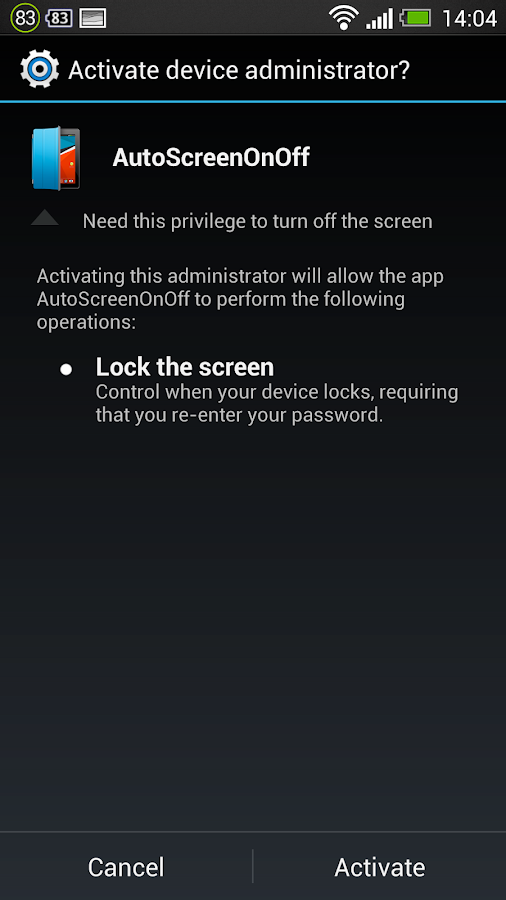
2. Press once on the icon to trigger Device Management Confirmation Dialog.
3. Agree to activate device management. (This is required to turn off the screen)
4. Now everything should work now. Try cover your hand over the top area of the screen (where the proximity sensor might be located) to see if it works.
Attention:
- Since it uses proximity sensor to detect whether the screen should be on or off, this may use some power consumption. So, if you are not using your device for a long time, suggest you turning off the function.
- If you wants to uninstall the app, please do it from top of the app.
Translation Helps from:
Hai Long Hoang: Vietnamese
WebFrogeye : French
Ján Kučera: Slovak
Renek: Czech
Xander Stone: Dutch
ps. If you have any suggestions, questions, bug reports, or you are willing to help translate strings, please send me email.leinadkao@gmail.com
v2.4.1 update:
v2.4.1 (2014/03/16)
* fix crash on Android 2.2
v2.4 (2014/02/15)
* fix crashes
* remove testing unlock feature
v2.3 (2014/02/14)
* Add Dutch translation: Thanks for Xander Stone’s help
* Add Vibrate while turning off screen.
* Make Uninstall action more visible on Actionbar. Don’t mail me how to uninstall anymore…
* Make time picker 24 hour format. Should be more useful.
More Info Auto Screen On Off(Smart Cover v2.4.1
:https://play.google.com/store/apps/d...utoscreenonoff
Download:
http://www.kingfiles.net/0nq0e3jujr0...over_2_4_1.apk
Mirror:
http://www.filedwon.info/6i1vcxr21hw...2_4_1.apk.html
http://hulkload.com/bdewrhyop4bi
Before trying to install Download Androiduapplications » Auto Screen On Off(Smart Cover v2.4.1 on your Android device, you need to know certain things. Firstly, Skype won’t install if you are running a version of Android that’s before 2.1. Also, your device needs to be running a processor of 600 MHz or faster. Be sure as well of your connectivity – Wi-Fi or 3G on your device, because if you can’t connect to the Internet with it, Skype will be useless. If you have what Skype takes, you should be up and running in minutes. Enjoy.

User Review: 100% based on 99998 ratings. 5 user reviews.
Author: Unknown
Android Apk Games | Applications | Widget - Androiduapplications.blogspot.com
